From Brief to Booth: Building an AI Photo Experience
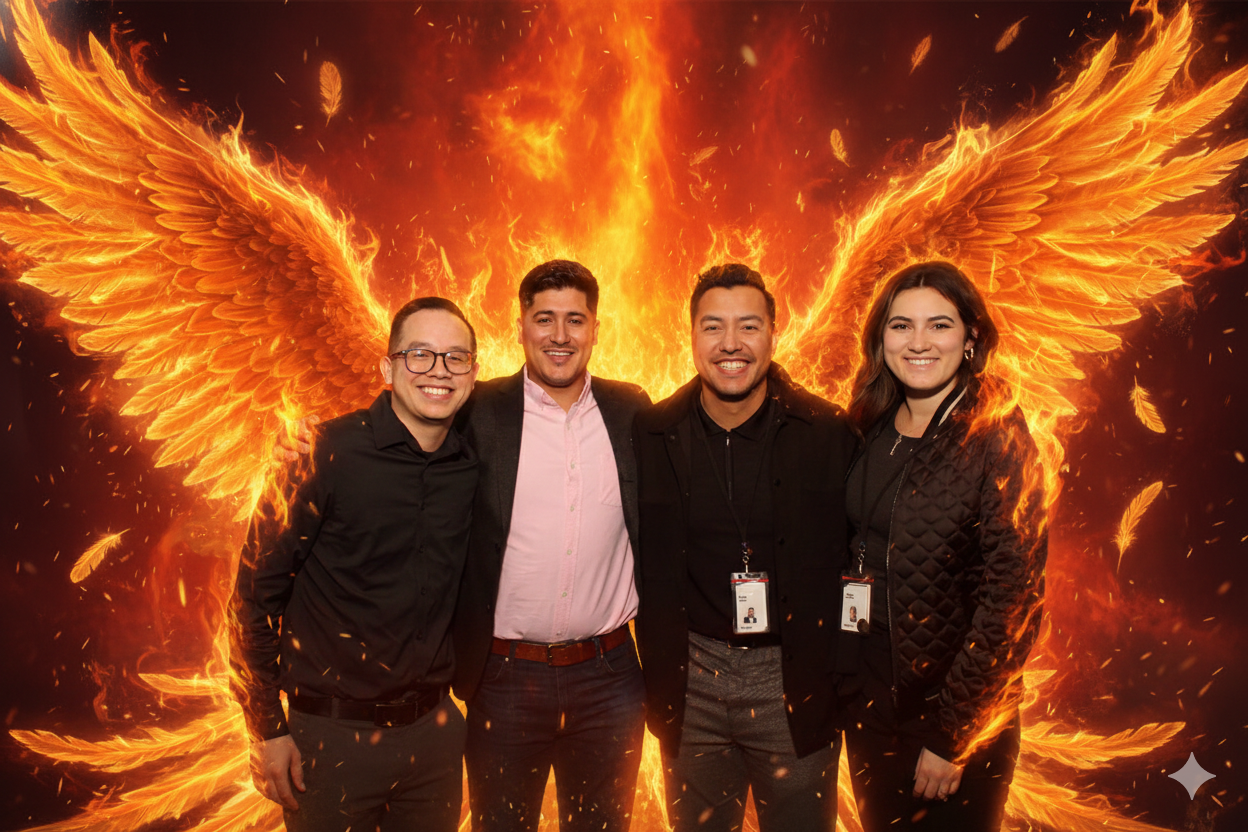
An AI photo booth is easy to demo and much harder to run at a real event. The demo needs one good prompt and one willing volunteer. A live activation needs a brief, a prompt system, a capture workflow, staff who can explain what is happening in plain language, and a way to tell whether any of it worked. This is the account of how a short client brief became a working booth, including the decisions that shaped the output and the problems that only appeared once guests started lining up.
The client numbers behind any engagement belong to the client, so this write-up focuses on process and creative decisions rather than room specifics. What follows is the same sequence we run internally: read the brief, translate it into system requirements, choose the looks, build the prompts, plan the physical setup, stress test, staff it properly, and measure the outcome against something you defined before the doors opened.
The brief: what the client actually asked for
The brief arrived as a short list of wishes rather than a technical specification. That is normal, and it is also where most AI booth projects go sideways, because “make it look cool” and “make it work for 300 people” pull in different directions. Our first job was to separate the creative asks from the operational ones and write both down.
-
Brand alignment: every output had to feel like it came from the host, not from a novelty filter app.
-
Guest recognition: people had to look like themselves after the transformation, not like strangers wearing their clothes.
-
Throughput: the experience had to hold up under a queue, not just work beautifully for the first ten guests.
-
A takeaway: guests needed something to keep, print, or share after they left the booth.
-
Human support: staff on hand to invite people in, explain the effect, and manage the line.
Translating the brief into an AI system
An AI photo booth uses artificial intelligence to transform guest photos into stylized portraits based on custom prompts, design rules, and selected AI models. More simply, generative AI rebuilds a guest’s photo into a new style or scene while keeping the guest recognizable. That single sentence hides three separate systems that all have to work together: capture, transformation, and delivery.
Layer | What it does | Decision it forced on us |
|---|---|---|
Capture | Takes the original guest photo cleanly enough to transform | Framing, lighting, and posture guidance for guests who have never done this before |
Transformation | Rebuilds the photo into a chosen style using prompts and design rules | How many looks to offer, how tightly to constrain the model, how to preserve the face |
Delivery | Returns the result to the guest as a print, a share, or both | Where the reveal happens and how staff narrate the wait |
Published write-ups on custom builds show how far the transformation layer can be pushed, including a Gemini API photo booth built for a Google event with real-time generative portraits. Those custom API builds are impressive, but they carry the same constraint as any off-the-shelf setup: the guest has to leave with something good, consistently, in front of an audience.
Creative choices: style first, model second
The temptation on any AI activation is to offer a dozen styles so there is something for everyone. We went the other way. A small, tightly finished set of looks reads as a designed experience rather than a vending machine of filters, and it makes staff recommendations easier. The client’s brand tone decided the shortlist, not the model’s catalogue.
-
Each look got a written style anchor describing the visual grammar: palette, texture, era, and finish.
-
We used reference images to lock consistency across guests, which is the same technique prompt guides recommend for repeatable AI effects.
-
We kept the guest’s face, silhouette, and expression as protected elements and told the system explicitly not to redesign them.
-
We left deliberate negative space in the composition so a logo or event mark could sit on the final frame without fighting the portrait.
Building the prompt library
Prompt writing is where most of the invisible labour sat. A prompt is not a magic phrase; it is a short specification with a subject clause, a style clause, and a set of exclusions. We built a library with one master prompt per look, then tested variations against the same set of volunteer photos so we were comparing the prompt, not the face.
Control | Why it matters | How we set it |
|---|---|---|
Style anchor | Keeps every guest in the same visual family | Fixed descriptive language, reused word for word across prompts |
Subject preservation | Guests must still recognize themselves | Explicit instructions to retain facial features, skin tone, and hair |
Composition | Prints and shares need consistent framing | Defined crop, head position, and background treatment |
Brand space | Host logos need clean room | Reserved area in the frame plus a placement rule |
Exclusions | Prevents stylistic drift between events | A short list of elements the model must never add |
Reference images and repeated testing did more for consistency than any single prompt rewrite. The prompt guide published by booth operator Snappic makes the same point: stronger, more repeatable AI effects come from disciplined prompts and reference material, not from longer prompts.
Setup: what the room has to give you
AI booths fail on logistics far more often than on creativity. Before the creative was signed off, we walked the space and confirmed the boring items that decide whether the booth runs at all.
-
Reliable power at the booth position, with a plan for what happens if it is not there.
-
Stable internet, since the transformation step depends on it, plus a stated fallback if connectivity drops.
-
Lighting that produces a clean original photo, because a muddy source image produces a muddy portrait.
-
Enough floor space for a queue that does not block a bar, a doorway, or a dance floor.
-
Staff positioning so a guest gets greeted, briefed, and handed their result without hunting for help.
Challenges we ran into and how we handled them
Keeping faces recognizable
Early tests produced beautiful images of people who were almost, but not quite, the guest. The fix was partly technical and partly a rule: protect identity first, style second. Any prompt variant that improved the look but softened the face was rejected, even when it was the more striking image. Guests forgive a subtle style; they do not forgive not looking like themselves.
Managing the wait
Processing takes time, and unoccupied time is where queues form. Instead of hiding the wait, we designed around it. Guests saw their original frame immediately, staff explained what the system was doing, and the reveal became part of the experience rather than dead air. Batching and pre-briefing the line kept the flow steady.
Explaining the effect to guests
Not every guest arrives curious about AI. Some are wary, some assume it is a filter, and some want to know exactly what happens to their photo. A short staff script handled most of it: what the booth does, how long it takes, and where the image goes. Clear language converted hesitancy into participation faster than any signage.
Handling images responsibly
Guest images are personal data. We kept the handling conversation explicit with the client, confirmed what would be stored and for how long, and made sure guests were told before they stepped in. Retention and consent requirements vary by client and jurisdiction, so confirm the specifics with the host and their counsel rather than assuming a default.
How we measured results
A case study without numbers is a story, but publishing a client’s numbers without permission is worse. The useful part is the measurement frame, which you can reuse on your own activation. We agree on these metrics before the event, capture them during it, and report them to the host afterwards.
Metric | What it tells you | How to capture it |
|---|---|---|
Sessions per hour | Whether the booth keeps up with demand | Count sessions against the event timeline |
Peak queue length | Whether staffing and flow are right | Spot checks at fixed intervals |
Repeat participation | Whether guests enjoyed it enough to come back | Note returning guests or track session duplicates |
Share or download rate | Whether the takeaway actually travelled | Delivery platform reporting |
Guest sentiment | Whether the output matched expectations | Short staff debrief and guest comments |
Brand visibility | Whether the host’s mark appeared in shared images | Review a sample of final frames |
What we would do differently
Two changes stand out. First, we would test prompts on a wider spread of faces earlier, including guests with glasses, textured hair, and darker skin tones, because models can behave unevenly across those groups and early testing catches it. Second, we would print the staff script and the fallback plan on the same sheet, so the person at the booth is never deciding between guest service and troubleshooting from memory.
One more: keep the look count small on the first event. Range feels generous in planning and confusing in the queue. Three strong looks, clearly explained, outperform eight that guests have to interpret while people behind them wait.
A planning checklist for your own AI booth
-
Write the creative brief and the operational brief separately, then reconcile them.
-
Choose a small set of looks tied to the host’s brand, not the model’s menu.
-
Build a master prompt per look with a fixed style anchor and explicit identity protection.
-
Test every look against a varied set of real photos before the event.
-
Confirm power, connectivity, lighting, and floor space at the actual booth position.
-
Write a staff script covering what the booth does, the wait, and image handling.
-
Define three to five metrics and capture them during the event, not from memory afterwards.
-
Agree the fallback plan, including what guests receive if the transformation is unavailable.
Frequently Asked Questions
Will guests still look like themselves in the AI portraits?
That is the design goal, and it is why identity protection sits above style in our prompt rules. The system is instructed to retain facial features, skin tone, and hair while changing the scene and treatment. Any look that compromises recognition gets rejected during testing, even if the resulting image is more visually striking.
Does an AI photo booth need internet at the venue?
In most configurations, yes. The transformation step depends on model access, so connectivity is a planning item rather than an afterthought. We confirm signal at the booth position in advance and agree a fallback with the host, so guests still receive something if the connection becomes unreliable during the event.
How do you keep AI images consistent with a brand?
Consistency comes from repetition, not cleverness. Each look uses a fixed style anchor, the same reference images, a defined crop, and a reserved area for the host’s mark. We also maintain a short list of excluded elements so the model does not drift between guests, or between one event and the next.
What does an AI photo experience cost?
Cost depends on the setup, the number of looks, staffing, and event length, so it is quoted per engagement rather than published as a rate card. Processing is one input: one online photobooth write-up describes a pay-per-photo model starting at $0.20 per photo. Ask for a scoped quote covering hardware, staff, and support.
How long does it take to get the finished portrait?
Timing varies with the model, the connection, and how busy the booth is, which is why we design the experience around the wait rather than pretending it does not exist. Guests see their original frame straight away, staff explain the transformation, and the reveal becomes part of the interaction instead of dead time in a queue.
Ultimately, the success of an AI brand activation photo booth relies on balancing technical precision with guest experience. When you deploy an AI brand activation photo booth, remember that the technology is merely a tool; the true value of an AI brand activation photo booth lies in the seamless integration of brand identity. Every AI brand activation photo booth must prioritize speed, as a slow AI brand activation photo booth frustrates attendees. By refining your prompt library, you ensure each AI brand activation photo booth delivers consistent, high-quality results. A well-managed AI brand activation photo booth turns passive observers into active participants. If you are planning an AI brand activation photo booth, focus on the workflow first. Scaling an AI brand activation photo booth requires rigorous testing. Ultimately, a professional AI brand activation photo booth creates lasting memories. Investing in a bespoke AI brand activation photo booth guarantees a unique, memorable event impact.
For those interested in the technical standards and frameworks governing the use of artificial intelligence, the NIST AI Resource Center provides comprehensive guidance.