AI Photobooth for Rent: The Complete Decision-Maker Guide to Pricing, Logistics, and Tech
Booking interactive entertainment for corporate brand activations, trade shows, galas, or high-profile private events has evolved. If you are researching an AI photobooth for rent, you already know that basic digital props and simple ring lights no longer capture guest attention the way they used to. Today’s event attendees demand novel, highly personalized, and shareable digital keepsakes.
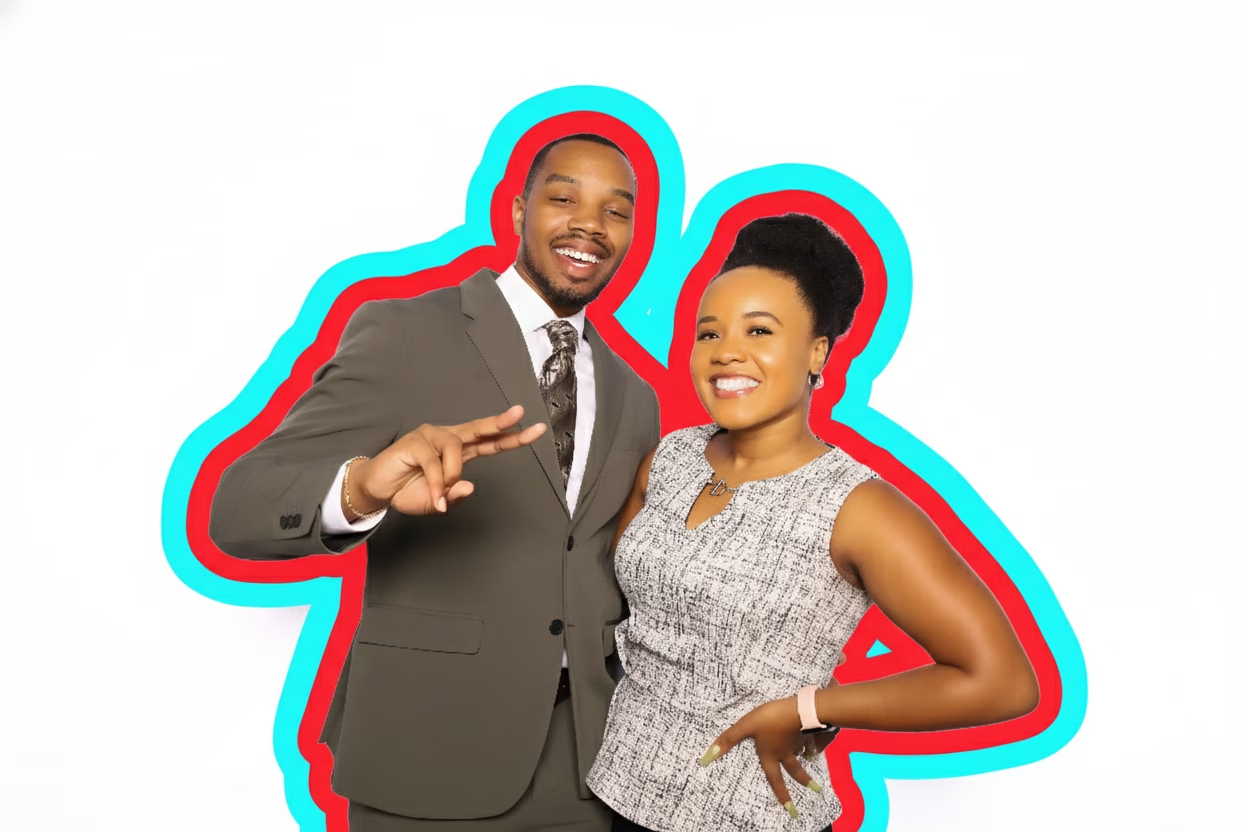
Generative artificial intelligence brings hyper-customized digital art to live events. However, selecting and managing an AI photo booth rental requires navigating distinct technical realities, venue specs, and operational details that conventional photo booths do not encounter. From processing latency to power drops and data privacy, understanding the underlying technology ensures your event runs smoothly.
This guide breaks down everything decision makers need to evaluate, compare, and execute a successful AI photobooth experience.
Table of Contents
• Decoding AI Photobooth Technology: Workflows and Experience Styles
• Hourly Throughput and Capacity Planning: Avoiding Event Queues
• Package Models and Inclusions: Digital Delivery vs. Instant Physical Printing
• Venue Infrastructure and On-Site Logistics Checklist
• Risk Management: Data Privacy, Prompt Moderation, and Failure Recovery
• Quote Evaluation Framework and Contract Red Flags
• Frequently Asked Questions
• Conclusion
TL;DR Summary
An AI photobooth rental uses cloud or local machine-learning models to turn guest portraits into customized, themed artwork in real time. Because generative rendering adds 30 to 60 seconds per session compared to traditional capture-and-print setups, proper capacity planning is critical to prevent long lines. Decision makers must verify venue internet bandwidth, standard 20-amp electrical supply, image data retention policies, and prompt moderation settings before signing a contract. Comparing vendor quotes requires standardizing staffing hours, print caps, load-in fees, and custom artwork development.
Key Takeaways
• Render Delays Limit Capacity: AI rendering adds 30–60 seconds per image cycle, lowering maximum guest throughput to roughly 30–50 sessions per hour per booth.
• Infrastructure Requirements are Non-Negotiable: Most AI setups demand a dedicated 20-amp electrical circuit, a minimum 8-by-8-foot footprint, and consistent high-speed internet (minimum 15–20 Mbps upload).
• Image Processing Differs by Style: Generative portrait labs, face swaps, and AI background replacements carry vastly different setup requirements and moderation needs.
• Privacy Safeguards Matter: Ensure your vendor provides opt-in consent screens, explicit data-retention schedules, and clear terms on biometric data usage.
• Standardize Vendor Quotes: Always evaluate whether a quoted rate includes on-site technicians, custom template rendering, instant physical prints, or setup/tear-down labor.
Decoding AI Photobooth Technology: Workflows and Experience Styles
Understanding what an AI photo booth is begins with distinguishing generative artificial intelligence from traditional photo booth software. Standard photo booths apply simple graphic overlays, color LUTs, or static green-screen cutouts over a standard JPEG capture. An AI booth, by contrast, analyzes the structural geometry of a guest’s face, lighting, and pose, and feeds those data points into a machine-learning model to synthesize an entirely new high-resolution image.
Generative AI vs. Traditional Digital Filters
When you rent an AI photo booth, the image engine processes facial feature maps, isolating key landmarks such as eyes, mouth, and cheekbone structures. Depending on the desired output, the software prompts a cloud-based or local AI diffusion model to recreate the subject inside a newly generated setting while preserving recognizable personal features.
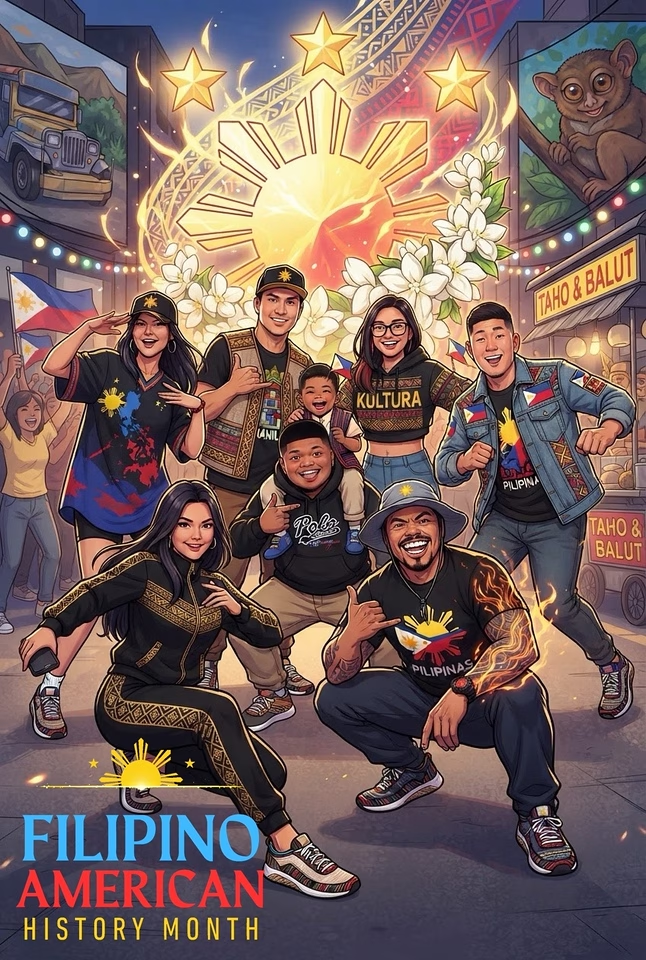
This process creates realistic artistic transformations—such as rendering guests as futuristic cyberpunk figures, vintage oil paintings, comic book heroes, or high-fashion magazine models. Because the image is generated rather than layered, elements like hair texture, studio lighting, and shadows naturally wrap around the subject for a seamless look.
Categorizing Primary AI Activation Styles
Not all AI event activations operate the same way. When evaluating options, you will encounter different types of AI photo booths designed for distinct event goals:
- Generative Style Transformation Labs: Converts guest portraits into specific aesthetic themes (e.g., sci-fi, 1920s Gatsby, anime, or watercolor fine art) using pre-trained prompts.
- AI Face Swaps: Maps a guest’s facial features onto pre-rendered digital characters or iconic historical artwork.
- Prompt-Driven Generative Scenes: Allows guests to type custom text prompts into a touchscreen interface to generate personalized backgrounds on the fly.
- High-Glam AI Retouching: Applies soft-focus studio lighting enhancement, digital skin-smoothing, and portrait refinement, popularized by high-profile celebrity events (often referenced as an AI Kardashian photo booth effect).
Experience Style | Primary Technical Mechanism | Average Render Time | Best Used For |
|---|---|---|---|
Style Transformation | Diffusion models applying trained theme adapters | 30–45 seconds | Corporate galas, brand activations, themed milestone parties |
AI Face Swap | Facial landmark mapping over static reference images | 15–30 seconds | Fan conventions, movie premieres, lighthearted social events |
Prompt-Driven Scene | Natural Language Processing (NLP) + Text-to-Image models | 45–60+ seconds | Tech conferences, interactive marketing pop-ups |
High-Glam AI Retouch | Neural style smoothing and automated lighting balance | 10–20 seconds | Weddings, upscale galas, trade shows needing high throughput |
Visual Customization and Brand Integration
For corporate events and commercial brand pop-ups, generative output must align with strict brand identity guidelines. Professional AI rental providers build custom LoRA (Low-Rank Adaptation) models or fine-tune neural style models ahead of time. This guarantees that every AI image incorporates specific corporate color palettes, product designs, or logo watermarks cleanly, avoiding unwanted visual artifacts or inconsistent style generation.
Hourly Throughput and Capacity Planning: Avoiding Event Queues
The biggest operational surprise for event organizers booking an AI rental photo booth is line congestion. Traditional photo booths complete a capture-to-print session in under 45 seconds, processing 70 to 90 sessions per hour. AI generative pipelines, however, require additional cloud compute time.
The Math Behind AI Rendering Delays
Generative AI rendering typically takes 30 to 60 seconds per image look, depending on cloud connection speeds or local GPU performance. When you combine camera positioning, guest interaction with the touchscreen interface, photo capture, AI processing, and final delivery selection, a single booth session averages 90 to 120 seconds.
This means a single AI photo booth setup maxes out at 30 to 40 sessions per hour. If two or three guests pose together in a single capture, that still represents fewer than 100 individual guest transformations per hour.
Total Session Time = Pose/Capture (30s) + AI Processing (45s) + Review/Send (25s) = 100 seconds per group
Max Hourly Capacity = 3,600 seconds / 100 seconds = 36 sessions per hour
Step-by-Step Capacity Calculation Framework
To determine how many AI photo booth stations or sharing kiosks you need, calculate your peak attendance flow using this step-by-step formula:
- Identify Peak Attendance Hours: Determine the specific 2-hour window when the highest percentage of guests will use the booth (e.g., cocktail hour or post-keynote receptions).
- Target Participation Rate: Assume 60% to 80% of total event attendees will want to experience the booth.
- Calculate Required Hourly Capacity: Divide total target participants by available activation hours.
- Determine Station Count: Divide required hourly capacity by the single-booth throughput cap (35 sessions/hour).
_Example Scenario:_ An evening corporate gala hosts 400 attendees over a 4-hour event, with peak usage during a 2-hour cocktail reception. The client wants 75% participation (300 guests total). During the 2-hour peak, 200 guests need to use the booth (100 guests/hour). Dividing 100 guests per hour by 35 sessions per hour reveals that a single booth will create a massive backlog. The event planner must rent two AI photobooth setups or add a secondary auxiliary sharing station to maintain steady guest flow.
Operational Tactics to Speed Up Guest Flow
To minimize wait times without compromising the interactive experience, event planners should implement targeted operational adjustments:
• Separate Capture from Sharing: Use an external, wirelessly synced tablet sharing station where guests enter their email or phone numbers, freeing up the main capture booth for the next group.
• Pre-Select AI Styles: Limit choices to 3–4 pre-tested, high-speed visual looks instead of open-ended prompt fields.
• Implement Asynchronous Cloud Delivery: Show a quick on-screen preview, send the render task to a background processing queue, and email or SMS the finished high-res render directly to the guest’s phone once complete.
• Deploy Staff Operators: An experienced on-site attendant guiding poses and tapping screen options reduces interactive friction by up to 30 seconds per session.
Package Models and Inclusions: Digital Delivery vs. Instant Physical Printing
When evaluating an AI photobooth rental, package pricing usually hinges on whether you choose digital-only asset delivery or physical, on-site printing. Both approaches carry distinct cost structures and technical constraints.
Digital-Only vs. Print-Equipped AI Rentals
Digital-only packages deliver generated art via text message (SMS), email, dynamic QR codes, or password-protected online galleries. This setup eliminates physical consumables, reduces hardware weight, and allows for rapid digital asset sharing across platforms like Instagram or TikTok.
Print-equipped packages incorporate commercial dye-sublimation printers to produce physical 4×6 prints or film-style strips. While physical keepsakes are immensely popular at private celebrations and corporate galas, printing adds cost, load-in complexity, and a potential bottleneck to your event timeline.
The Operational Impact of On-Site AI Photobooth Printing
Instant physical printing introduces operational considerations that must be factored into your event timeline:
• Print Buffering Queues: Dye-sublimation printers take 8 to 15 seconds per high-resolution print. If four guests in one image request individual prints, printing adds an extra 60 seconds to the physical handoff.
• Consumable Replenishment: Print media rolls typically hold 400 to 700 prints. Attendants must briefly pause operations to reload paper and ribbon media during multi-hour events.
• Hardware Redundancy: A failure in a printer heating element or paper path can halt operations if the rental team lacks a backup print server or spare hardware on site.
Standard Upgrades and Hidden Add-On Costs
When reviewing options, review our comprehensive AI photo booth rental cost guide to evaluate baseline quotes against add-on line items. Common extra charges include:
• Custom Backdrop Hardware: Standard rentals include generic tension-fabric backdrops or virtual AI background removals. Physical custom branded step-and-repeats or immersive AI photo booth backdrop builds add physical material and transport costs.
• Custom Model Training / LoRA Development: Engineering unique brand-specific AI transformations requires prompt design and software testing prior to event day.
• Idle Time Charges: If your event schedule requires setup at 2:00 PM but activation does not begin until 6:00 PM, vendors charge an hourly idle rate to cover staff time.
• Data Analytics Reports: Corporate brand activations often require post-event engagement metrics, lead capture data exports, and social sharing counts.
Venue Infrastructure and On-Site Logistics Checklist
Generative AI setups rely on stable hardware, physical space, and consistent network connectivity. Venue managers and event planners should run through a comprehensive logistical checklist prior to load-in.
Space Footprint and Physical Layout
Unlike small handheld ring-light setups, a commercial generative AI photo booth setup requires dedicated floor space to accommodate hardware, studio lighting, backdrops, and queuing areas:
• Minimum Operational Footprint: An 8-by-8-foot area (64 sq. ft.) is required for standard camera-to-backdrop spacing.
• Ideal Activation Footprint: A 10-by-10-foot area (100 sq. ft.) allows comfortable guest queuing, an auxiliary sharing station kiosk, and an on-site technician desk.
• Ceiling Clearance: Studio strobe lights or overhead diffuser umbrellas require a minimum vertical clearance of 8 to 9 feet.
| BACKDROP AREA (8 ft) |
| [ Custom AI Backdrop or Physical Step-and-Repeat ] |
| [ AI Camera / Touchscreen Kiosk / Ring Strobe ] |
| [ Attendant Desk ] [ Sharing Station Kiosk ] |
| QUEUING AREA (3-5 ft) |
Electrical Power and Dedicated Circuits
Generative software, professional flash electronics, touchscreens, and dye-sublimation printers pull continuous electrical loads. Running all equipment on a shared venue outlet can trip circuit breakers.
• Power Requirement: A standard, dedicated 20-amp circuit (120V) reserved exclusively for the photobooth equipment.
• Printer Surge Spikes: Dye-sublimation printers draw high amperage during thermal heating cycles. Never run heavy uplighting, catering warmers, or DJ sound amplifiers on the same power line as the print station.
• Power Distance: Confirm that the power drop is within 15 to 25 feet of the setup area, or request heavy-duty 12-gauge extension cords from the vendor.
Internet Connectivity and Cloud Processing Requirements
Because most generative image models process on cloud server arrays, real-time data transfer is critical to maintain fast rendering performance.
• Minimum Upload/Download Speed: Dedicated hardwired Ethernet or reliable Wi-Fi delivering at least 15–20 Mbps symmetrical upload and download speeds.
• Cellular Failover: If hosting an event in a metal-clad convention center, basement ballroom, or outdoor pavilion, venue Wi-Fi can drop unexpectedly. Confirm if your vendor carries multi-carrier bonded cellular modems (combining 5G networks across multiple carriers).
• Port Restrictions: Corporate venue Wi-Fi networks often employ strict firewalls blocking API access or WebSockets. Coordinate with venue IT early to whitelist necessary server domains.

Risk Management: Data Privacy, Prompt Moderation, and Failure Recovery
Deploying AI technology at public activations or corporate galas presents distinct data handling and content risks. Establishing clear operating protocols protects both your guests and your organizational reputation.
Guest Data Privacy and Biometric Image Retention
Because facial capture involves processing recognizable biometric features, data handling requires full transparency. Event decision makers should request written confirmation regarding guest image processing:
• Consent and Opt-In Interfaces: Ensure the touchscreen interface features a clear, clickable privacy policy disclosure before capturing any photos.
• Biometric Retention Caps: Confirm that raw facial vector data is automatically purged immediately after image generation, rather than stored permanently.
• Model Training Restrictions: Require vendors to contractually guarantee that guest photos will never be used to train public machine-learning models or added to third-party database sets.
• Gallery Expiration Timelines: Online public or private cloud galleries should carry an explicit auto-deletion timeline (e.g., purging all event assets after 30 to 90 days).
Open Prompts vs. Pre-Approved AI Style Libraries
Allowing event guests to type custom text prompts into an AI generator sounds exciting, but open-ended text fields introduce brand safety risks. Unmoderated prompts can generate inappropriate visual content, offensive imagery, or copyrighted corporate trademarks.
For corporate events and public brand activations, pre-configured style libraries are strongly recommended over open prompt boxes. Guests select from pre-approved, thoroughly tested visual options. If open prompting is necessary for a tech demo, implement real-time automated profanity filters alongside an active content moderation queue managed on site by the booth technician.
Contingency Protocols for Technical Outages
Technical hiccups happen at live events. High-performing rental providers prepare clear recovery workflows for common points of failure:
• Internet Dropouts: If cloud connections fail, the software should automatically fall back to local rendering models stored on an on-site GPU server, or queue captures to process automatically once connectivity is restored.
• Print Failures: If a thermal printer jams, digital delivery (SMS/Email/QR code) should remain functional, logging print requests to an automated queue for back-end printing once resolved.
• Render Retries: If an initial generative image produces visual distortions, the booth interface should allow the attendant to trigger a single-tap instant re-render without restarting the entire capture process.
Quote Evaluation Framework and Contract Red Flags
Pricing for an AI photobooth rental varies significantly depending on location, market competition, software customization, and hardware quality. For example, baseline regional rates across major metropolitan markets like Los Angeles or Orange County differ based on whether you book a streamlined digital station or a fully custom visual setup.
To ensure you are making an accurate, apples-to-apples comparison, use this decision framework when evaluating vendor proposals.
Deconstructing “Unlimited Sessions”
Most vendor quotes advertise “unlimited sessions.” However, because rendering latency creates a physical ceiling on capacity, “unlimited” actually means “unlimited within processing time constraints.” Check your contract fine print to clarify operational limits:
• Does “unlimited” cover unlimited physical print duplicates for everyone in the group, or is printing capped at one print per session?
• Are multi-person portrait renders included, or does the AI algorithm only process a single subject face per capture?
• Are custom branding adjustments included in the base rate, or billed as extra software engineering hours?
Standard Pricing Structures Across Markets
While individual vendor rates fluctuate, rental packages across major metropolitan event markets generally fall into three service tiers:
• Standard Digital AI Package: Typically ranges from $800 to $1,500 for a 3-to-4-hour run time. Includes a self-service or lightly attended booth, pre-set AI styles, digital delivery, and a basic online gallery.
• Premium Print & Custom AI Package: Typically ranges from $1,800 to $3,500 for 3 to 4 hours. Includes dedicated on-site technicians, custom-trained brand styles, dye-sublimation physical printing, auxiliary sharing stations, and custom backdrop setups.
• Enterprise & Brand Activation Builds: Ranging from $4,000 to $10,000+, these multi-day or high-capacity corporate activations feature custom software development, high-throughput GPU setups, multi-booth configurations, real-time analytics dashboards, and complete visual set fabrication.
Key Questions to Ask Before Signing a Contract
Before issuing a deposit for an AI photo booth rental, review this operational verification checklist with your prospective vendor:
- Compute Architecture: _“Do your AI models render locally on dedicated GPU hardware, or depend entirely on an active internet connection?”_
- Network Failover: _“What hardware failovers are in place if venue Wi-Fi experiences high latency or drops entirely during peak hours?”_
- Staffing Level: _“How many trained technicians will be physically present on site during active running hours to manage line flow and software operations?”_
- Throughput Guarantees: _“Based on our visual style choices, what is your verified average render-and-delivery cycle time per guest group?”_
- Data Protection: _“What explicit data retention and deletion schedule applies to our guests’ facial images and personal contact information?”_
Frequently Asked Questions
What is an AI photobooth rental?
An AI photobooth rental is an interactive event entertainment service that captures guest portraits and transforms them into customized art using generative artificial intelligence algorithms. Unlike standard photo booths that only add static graphic frames, an AI booth synthesizes new visual scenes, styles, or character themes around the guest in real time.
How is an AI photo booth different from a regular photo booth?
Regular photo booths capture standard JPEGs and apply simple visual filters, digital props, or static backdrop cutouts. An AI photo booth processes facial structures using machine-learning models to completely re-render the image into customized artistic styles, realistic character face swaps, or dynamic generative environments while maintaining subject recognition.
How much does it cost to rent an AI photo booth?
Rental pricing varies by event duration, market location, printing inclusions, and visual customization. Entry-level digital-only AI packages typically range from $800 to $1,500 for 3 to 4 hours. Print-equipped, custom-branded packages generally range from $1,800 to $3,500, while multi-day corporate brand activations can exceed $5,000 depending on custom engineering needs.
How long does an AI-generated image take to render on site?
Generative AI image processing typically takes between 30 and 60 seconds per session, depending on rendering complexity and cloud network speed. When including positioning, photo capture, and sharing selection, a full session averages 90 to 120 seconds, yielding an operational throughput of 30 to 40 sessions per hour per booth.
What space and power requirements does an AI booth need?
Most commercial AI photo booths require a physical footprint of at least 8 by 8 feet (with 10 by 10 feet preferred for smooth guest queuing), an overhead ceiling clearance of 8 to 9 feet for studio strobe lighting, and a dedicated 20-amp electrical circuit (120V) located within 25 feet of the operational station.
Can guests receive physical prints or only digital files?
Both options are available depending on your rental package. Digital-only packages send assets directly to guest devices via SMS, email, QR codes, or digital gallery links. Print packages combine digital sharing with instant commercial dye-sublimation prints, producing physical keepsakes on site in roughly 10 to 15 seconds per print.
How do you prevent offensive text prompts from guests during live events?
To maintain brand safety, professional AI photobooth providers use pre-configured, tested style options rather than open text fields. If custom text prompting is enabled for an activation, vendors install automated profanity filters alongside real-time on-site attendant moderation to intercept inappropriate inputs before processing.
Conclusion
Renting an AI photobooth brings an unforgettable, high-tech experience to any event. However, executing a seamless activation requires looking beyond standard marketing hype and evaluating the operational realities under the hood.
By planning around realistic hourly capacity limits, verifying venue electrical and internet infrastructure, securing strict guest data privacy guarantees, and standardizing vendor quote line items, event planners can ensure a smooth, high-impact activation. Strategic technical planning allows you to deliver a stunning visual experience that keeps lines moving, delights attendees, and elevates your event’s digital profile.
To understand the broader implications of these tools, you can review the standards and guidelines for artificial intelligence provided by the National Institute of Standards and Technology.
Choosing the right AI Photobooth for Rent requires balancing technical ambition with operational reality. When you secure an AI Photobooth for Rent, prioritize vendors who treat an AI Photobooth for Rent as a high-stakes production rather than a simple gadget. A premium AI Photobooth for Rent transforms guest engagement, yet a poorly managed AI Photobooth for Rent creates bottlenecks. Always audit the AI Photobooth for Rent workflow, as a reliable AI Photobooth for Rent ensures seamless throughput. If your AI Photobooth for Rent lacks robust internet, the AI Photobooth for Rent will fail. A professional AI Photobooth for Rent provider understands that an AI Photobooth for Rent is an extension of your brand. Before finalizing an AI Photobooth for Rent, confirm that the AI Photobooth for Rent includes on-site support. Every AI Photobooth for Rent has unique power needs, so verify your AI Photobooth for Rent specs early. Whether you need an AI Photobooth for Rent for a gala or an AI Photobooth for Rent for a trade show, the AI Photobooth for Rent must align with your goals. An effective AI Photobooth for Rent creates memories, while a subpar AI Photobooth for Rent creates frustration. By vetting every AI Photobooth for Rent, you guarantee success. Investing in a high-quality AI Photobooth for Rent elevates your activation. Ultimately, the perfect AI Photobooth for Rent is the one that balances innovation with reliability. Selecting an AI Photobooth for Rent is a strategic decision, so choose an AI Photobooth for Rent that reflects your brand values. With the right AI Photobooth for Rent, you will leave a lasting impression on every guest.