DrawMatic Activation Los Angeles Convention Center Guide

A DrawMatic Activation Los Angeles Convention Center setup can turn a quick attendee photo into a branded sketch-style keepsake, but the real planning challenge is not the robot alone. It is managing traffic, power, print output, consent, and staffing in a venue built for large crowds.
Table Of Contents
• Planning A DrawMatic Activation At The Venue
• Throughput, Staffing, And Guest Flow
• Choosing DrawMatic Over Other Activations
• Sources
Key Takeaways
What DrawMatic Is Designed To Do
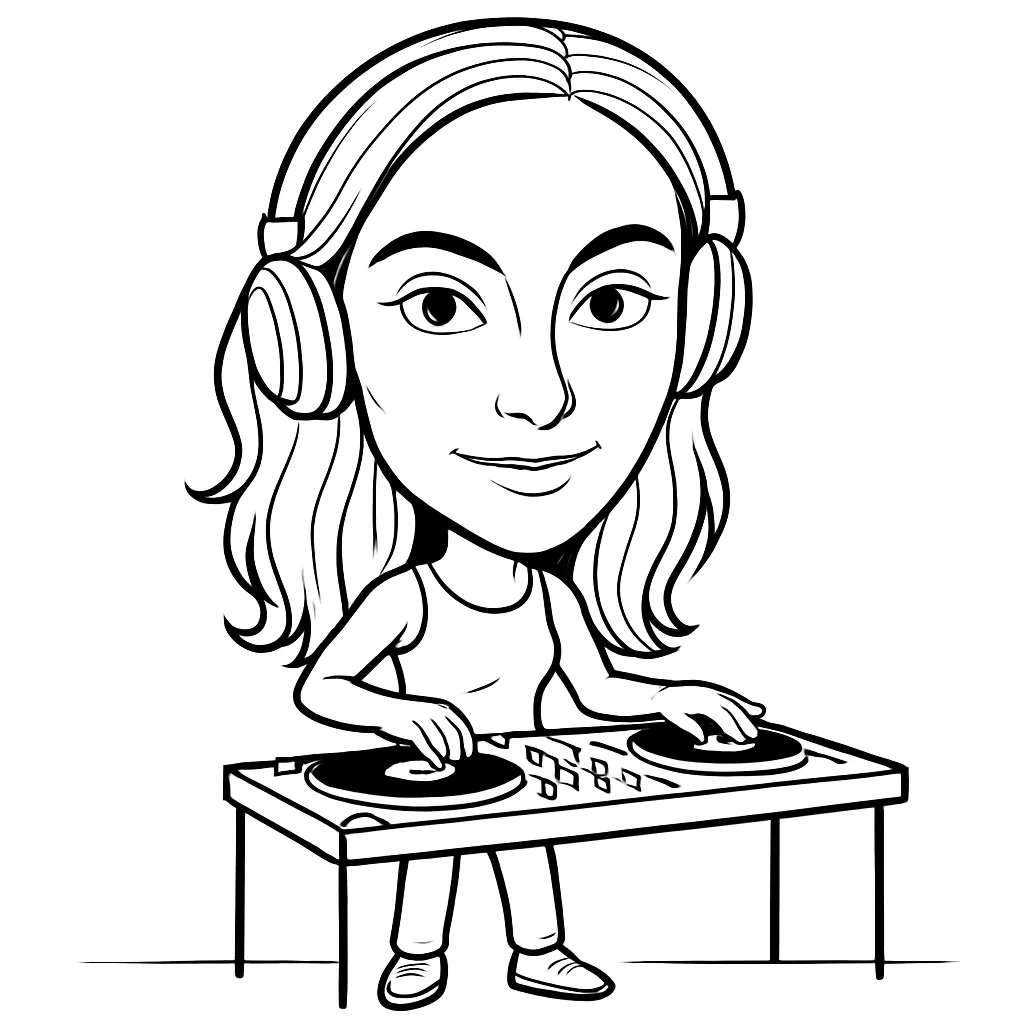
DrawMatic is an AI sketch activation that takes a guest image and produces a black-and-white, hand-drawn-style portrait. The appeal is straightforward: guests do not simply receive a standard event photo. They receive an object that feels more like a small piece of event art.
For the core experience, Lucky Frog Photo Marketing’s DrawMatic details state that sketches take about 40 to 60 seconds, can be printed as branded 4×6 keepsakes, and are supervised on site by a drawing bot butler. That timing matters more than it may seem. A 40-second drawing step is quick for one attendee, but it can still create a visible queue when a convention session ends or an exhibit hall opens.
I would treat DrawMatic as an interactive brand-touchpoint, not as an unattended print station. The guest journey includes more than image generation:
- The attendee notices the activation and decides to join.
- A staff member explains the experience and manages consent.
- The guest poses for a usable photo.
- The system processes the image into a sketch.
- The portrait prints or is delivered digitally.
- The guest collects the keepsake, scans a call to action, or shares it.
Each step affects the true capacity of the activation.
Why The Los Angeles Convention Center Changes The Plan
The Los Angeles Convention Center is large enough that placement can determine whether an activation becomes a destination or disappears into the exhibit floor. The venue reports 2.4 million square feet of total facility space, including five exhibit halls and 64 meeting rooms, on its official convention center venue overview.
That scale creates two competing conditions. High attendance can provide a strong pool of participants. At the same time, long sightlines, competing booth displays, and sudden crowd surges can overwhelm a small activation with little warning.
The best placement is usually not the point with the most foot traffic. It is the point with enough foot traffic to generate interest without blocking an aisle, exit route, neighboring exhibit, or session transition.
When The Activation Is A Strong Fit
DrawMatic generally makes the most sense when the goal is quality interaction and physical recall, rather than the highest possible number of completed guest outputs. It can fit corporate summits, sponsor lounges, trade show booths, product introductions, hospitality spaces, and premium networking events.
It is particularly useful where a sponsor needs a reason for attendees to pause. A branded sketch can support a conversation starter, lead capture moment, or post-event reminder in ways that a basic photo print may not.

For broader planning ideas around this category, Experiential Marketing with AI Photo Booths explains how AI-driven photo experiences can function as event marketing touchpoints rather than simple entertainment.
Planning A DrawMatic Activation At The Venue
Build The Footprint Around The Queue, Not Just The Machine
A common mistake is to plan only for the device, backdrop, and print station. In a convention center, the queue is often the largest part of the installation.
A practical floor plan should account for four zones:
Zone | Purpose | Planning Consideration |
|---|---|---|
Attraction Zone | Signage and visual draw | Must be visible from the aisle without obstructing sightlines |
Capture Zone | Guest photo and sketch process | Needs controlled lighting and a clear guest position |
Queue Zone | Waiting attendees | Requires stanchions or a defined line during peak periods |
Collection Zone | Print pickup and sharing | Should not force guests back through the incoming line |
A compact activation might physically fit in a small booth area, but the operating footprint may need to be substantially larger once staff and waiting guests are included. If the display is placed directly on a busy main aisle, a queue of even six to ten people can narrow traffic and create friction with nearby exhibitors.
I would ask the vendor for a scaled floor plan that shows the equipment, staff positions, queue path, print handoff point, and cable route. It is a more useful document than a simple equipment list because it reveals where congestion may form.
Confirm Venue Logistics Before Promising A Guest Experience
No public venue material reviewed here specifies DrawMatic-only requirements. That means planners should avoid assuming that a previous photo booth setup automatically qualifies for a robotic sketch installation.
Before booking, confirm these items with the provider, show contractor, and venue contacts:
• Required electrical service, plug type, and estimated power draw
• Whether the activation requires dependable wired or wireless internet
• Equipment dimensions, packed dimensions, and total weight
• Freight delivery timing, loading dock procedures, and material handling needs
• Insurance certificates, labor rules, exhibitor service orders, and move-in access
• Whether a backdrop, signage structure, or stanchions require separate approval
• Print media quantities, waste handling, and end-of-show removal plans
The convention center’s events calendar shows a continuing schedule of large public and trade gatherings, creating the type of high-traffic environment described on its Los Angeles Convention Center events page. In practical terms, that means loading routes, dock availability, and setup windows can be tight during major events.
There is another variable: the venue remains subject to expansion and modernization planning, as described by the LA Convention Center Expansion and Modernization Project. That does not mean every event will face access changes. It does mean planners should reconfirm current routes, entrances, and delivery instructions rather than relying on an old event map.
Put Privacy And Consent Into The Guest Journey
AI portrait capture involves an attendee image, even when the final output is a sketch rather than a conventional photograph. The vendor should be able to explain what is captured, whether images are stored, how long they are retained, whether they are used for any other purpose, and who can access them.
A short, plain-language notice near the capture point is often easier for guests than dense legal language. It should identify the event host or operator, explain the purpose of image capture, state whether the final portrait is printed, digital, or both, and direct questions to an event contact.
Consider a conference attendee who wants a printed portrait but does not want their image used in a public social gallery. A thoughtful workflow offers a clear choice rather than making sharing seem mandatory. If digital delivery is used for lead capture, make marketing consent separate from consent to receive the image.
Throughput, Staffing, And Guest Flow
The Math Behind A Busy Line
The stated drawing time of 40 to 60 seconds provides a starting point, not a final throughput guarantee. If every portrait took exactly 40 seconds with no gaps, one station could theoretically complete 90 portraits per hour. At 60 seconds, the theoretical ceiling is 60.
Real event throughput is lower because guests need direction, pose time, print collection, occasional retakes, and line transitions. A more realistic planning model is to add handling time.
Workflow Assumption | Approximate Cycle Time | Planning Capacity Per Hour |
|---|---|---|
Fast, controlled flow | 50 seconds | About 72 guests |
Typical staffed flow | 70 seconds | About 51 guests |
High-touch branded experience | 90 seconds | About 40 guests |
These are planning estimates, not vendor guarantees. The right number depends on the final configuration, staff count, print workflow, guest behavior, and technical conditions.
For example, a 600-person conference may be a good fit if participation is spread over several hours and the organizer expects 15 to 25 percent participation. It may be a poor fit if the same 600 attendees leave a keynote at once and are given only a 20-minute break. The robot might be fast, but the line becomes the limiting factor.
Staff For Recovery, Not Just Greeting
On-site supervision is a valuable part of the format because live activations need someone to handle the moments software cannot solve gracefully. Staff may need to reposition a guest, explain why a photo should be retaken, replace print materials, answer questions, or redirect the line.
For higher-volume periods, consider separate roles:
• A greeter who invites guests in and explains the wait
• An operator who monitors capture, processing, and print output
• A queue manager who protects aisles and sets expectations
• A brand representative who handles lead capture or product conversations
One person may cover multiple roles during quiet periods. During a peak surge, assigning all of them to one attendant can slow the entire experience.
Plan For Failure Modes Before Doors Open
The most visible problems are rarely dramatic. They are small delays that stack up: a printer pauses, a network connection drops, a guest steps out of frame, or an attendee takes several minutes deciding on a pose.
A recovery plan should include a test print before opening, spare consumables, a defined escalation contact, and a clear answer to this question: _What does the guest receive if a portrait cannot be completed immediately?_
Possible recovery options include a digital delivery fallback, a printed claim ticket, a retry lane, or a staff-managed return time. The best option depends on the event. At a trade show, asking guests to return later may be realistic. At a one-night reception, it may not be.
A visible wait-time sign can also help. If the activation is temporarily at capacity, it is better to tell guests “approximately 10 minutes” than to let a line look stalled.
Choosing DrawMatic Over Other Activations
Compare The Objective Before Comparing The Equipment
Convention-center photo booths are often used as experiential marketing components, not merely as photography services. That positioning is reflected in Lucky Frog’s convention-center photo booth framing, which describes these installations as experiential tools for large venues.
The decision should begin with the desired attendee behavior. Is the objective a collectible branded item? Quick social video? A crowd spectacle? High-volume lead capture? The answer changes the best format.
Activation Type | Strongest Use | Main Trade-Off | Best Placement |
|---|---|---|---|
DrawMatic | Premium keepsakes and longer interaction | Lower peak capacity than a simple snapshot flow | Sponsor booth, lounge, or controlled queue area |
Standard Photo Booth | Fast prints and familiar user flow | Less novelty and less perceived artistry | Open exhibit floor or reception area |
GIF Or Digital Booth | Quick sharing and lighter footprint | May not create a physical takeaway | Social campaigns and lead capture zones |
360 Video Booth | High-energy visual content | Larger footprint, more dwell time, more operational complexity | Open spaces with strong sightlines |
Choose DrawMatic when the physical sketch supports the story of the brand. A luxury hospitality sponsor, design-focused company, or executive summit may value the slower, more deliberate interaction. Avoid making it the only attendee engagement tool when the event requires hundreds of completions in a brief, fixed window.
Measure More Than “Engagement”
A line is not automatically proof of success. It can signal interest, but it can also show that capacity is too low. I would measure the activation with a small set of operational and marketing metrics:
• Portraits completed per hour
• Average and peak guest wait time
• Percentage of guests who complete the experience after entering the queue
• Number of retakes or failed outputs
• Print pickup rate and digital delivery rate
• QR scans, lead forms, or other optional conversion actions
• Brand interaction time, if staff record it consistently
These metrics reveal trade-offs. For instance, a sponsor may prefer 45 high-quality conversations and portraits per hour over 75 fast prints with little brand interaction. Another exhibitor may need the opposite. Define the priority before selecting the activation format.
Branding Should Support The Portrait, Not Overpower It
Branding works best when it gives the guest a reason to keep the print. A logo, event date, sponsor mark, and short message can work well on a 4×6 format. Too many campaign elements can make the keepsake look like an advertisement guests leave behind.
A useful test is simple: would someone keep this on a desk, fridge, or bulletin board after the event? If the answer is no, reduce the visual clutter.
For a broader perspective on durable AI-generated event mementos, The Future of Event Keepsakes with AI Drawing Robots explores why a collectible output can extend the life of an event interaction.
Frequently Asked Questions
What Is DrawMatic Activation At The Los Angeles Convention Center?
It is a live AI sketch experience that creates stylized attendee portraits for conferences, trade shows, corporate events, and branded gatherings. At the convention center, success depends on placing it where attendees can see it, join a managed queue, and collect their output without blocking traffic.
How Long Does Each DrawMatic Portrait Take?
Lucky Frog Photo Marketing states that the sketch process typically takes about 40 to 60 seconds. Actual guest cycle time can be longer once posing, retakes, printing, and handoff are included.
How Many Guests Can DrawMatic Handle Per Hour?
A sensible planning range is roughly 40 to 70 completed guests per hour for one station, depending on staffing and workflow. Ask the provider for a capacity estimate based on your event hours, guest count, expected participation rate, and peak traffic periods.
What Space Does DrawMatic Need In An Exhibit Hall?
The equipment footprint is only part of the answer. Plan for the capture station, staff, a print collection area, signage, and a queue that does not intrude on aisles. The vendor and show organizer should approve a final scaled layout.
Does It Need Internet Or Special Venue Approval?
Requirements can vary by provider configuration, so confirm power, internet, freight, insurance, labor, and setup rules before signing. Do not assume venue approvals are identical across different halls or event organizers.
Can The Portraits Be Branded?
Yes. The vendor describes branded 4×6 outputs with elements such as logos, messaging, and colors. Keep the design clean enough that the sketch remains the focal point.
Is DrawMatic Better Than A Standard Photo Booth?
It is better when a distinctive, collectible portrait and a longer guest interaction are the goals. A standard photo booth may be better when speed, familiar operation, and high output volume matter most.
What Happens If The Sketch Quality Is Inconsistent?
A staffed operator should identify poor captures, guide guests into better lighting or position, and offer a retake where appropriate. Before the event, request a live demonstration and clarify the fallback process for technical issues, delayed prints, or unusable images.
DrawMatic AI Drawing Robots
Coastal Warmth & Fine-Art Mechanical Sketch Activations
Artisan Tech Meets Sun-Drenched Coastal Elegance
Bringing a touch of vintage beach sophistication to high-end events requires experiences that feel both organic and extraordinary. The DrawMatic AI Robot for Corporate Summits and luxury galas transforms guest portraits into physical, pen-on-paper vector sketches, executing live artwork with mechanical precision.
Premier Venue Activations Across Southern California
Corporate Conferences & Trade Shows
Refer to our DrawMatic Activation Los Angeles Convention Center Guide for optimizing foot traffic and high-capacity lead capture. Deploying a Robotic Sketch Artist Skirball Cultural Center installation delivers an artistic spectacle that keeps trade show attendees engaged throughout multi-day expos.
Luxury Weddings & Oceanfront Galas
Booking a Robotic Sketch Artist for Luxury Weddings provides guests with custom-inked parchment keepsakes that surpass traditional photo prints. From a coastal AI Drawing Robot Pelican Hill Resort garden reception to a rooftop Robotic Art Booth The London West Hollywood celebration, the DrawMatic setup blends effortlessly into refined outdoor and indoor aesthetic spaces.
DrawMatic Activation Overview
| Event Setting | Primary Feature Focus | Guest Experience Highlight |
|---|---|---|
| Luxury Coastal Weddings | Textured linen parchment & custom monograms | Personalized fine-art portrait favors framed on-site. |
| Convention Floor Booths | High-speed vector sketching & badge capture | Hypnotic live mechanical plotting that increases booth dwell time. |
| Rooftop VIP Galas | Metallic inks & instant digital MP4 timelapses | Interactive sketch performance with immediate social media sharing. |
Why DrawMatic Redefines Event Entertainment
- Fine-Art Materials: Sketches are physically rendered using archival pens on heavy neutral stock, mirroring classic seaside artist studios.
- Frictionless Digital Integration: Alongside physical art, guests receive animated timelapse videos sent directly to their phones for social posting.
- Custom Media Framing: Pre-print venue details, brand logos, or wedding crests directly onto paper stock to preserve event memory.
Discover complete setup guidelines and reserve your activation directly at DrawMatic AI Drawing Robots, or view all available event options on Lucky Frog Photo Booth SoCal.
Successfully executing a DrawMatic activation requires balancing technical precision with crowd management. When you plan a DrawMatic activation, prioritize the guest journey to ensure every DrawMatic activation remains a premium experience. A well-managed DrawMatic activation serves as a powerful brand touchpoint, provided your DrawMatic activation footprint accounts for peak traffic. By refining your DrawMatic activation logistics, you transform a simple DrawMatic activation into a high-impact engagement tool. Remember, a DrawMatic activation is more than just hardware; it is a DrawMatic activation of your brand’s creative identity. If you prioritize flow, your DrawMatic activation will stand out, whereas a poorly placed DrawMatic activation risks becoming a bottleneck. Ultimately, the right DrawMatic activation strategy turns attendees into brand advocates. Whether you are hosting a small summit or a massive trade show, a polished DrawMatic activation delivers lasting value. By focusing on these operational details, your next DrawMatic activation will surely exceed expectations, proving that a thoughtful DrawMatic activation is the ultimate way to leave a lasting impression on your audience.